
Bolton SICT
OFFICE 365
MFA SETUP FACTOR GUIDE

🔐 Office 365 – MFA Setup Guide
⚠️ Important ⚠️
For security reasons, MFA setup must be completed while you are in school
with a device connected to the network.
1. Open Security Info
Open in a web browser
https://mysignins.microsoft.com/security-info
Sign in with your school email address and password. The password page will have the Bolton SICT branding, if this is not present on the password page please do not continue.
If already registered for 2 factor you will be prompted to enter at this point.
Or:
If already logged into Office 365 in a web browser → click your profile/avatar → View Account → Security Info.
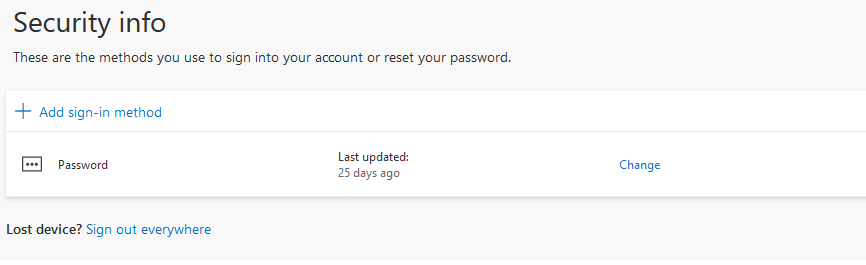
2. Add Authenticator App
Click Add sign-in method and Select Authenticator app.

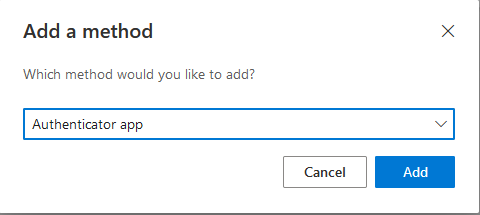
3. Install Microsoft Authenticator
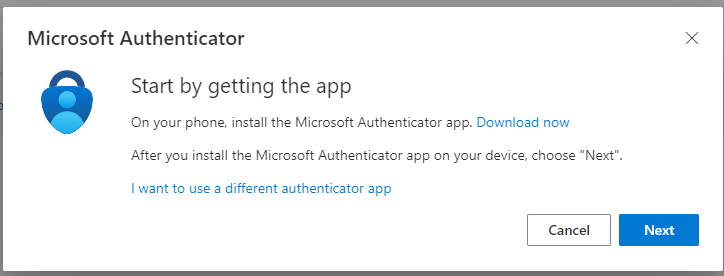
On your mobile phone, download Microsoft Authenticator from the App Store or Google Play. See Section at bottom of guide for more details.
Once installed, return to your computer and click Next.
4. Scan the QR Code
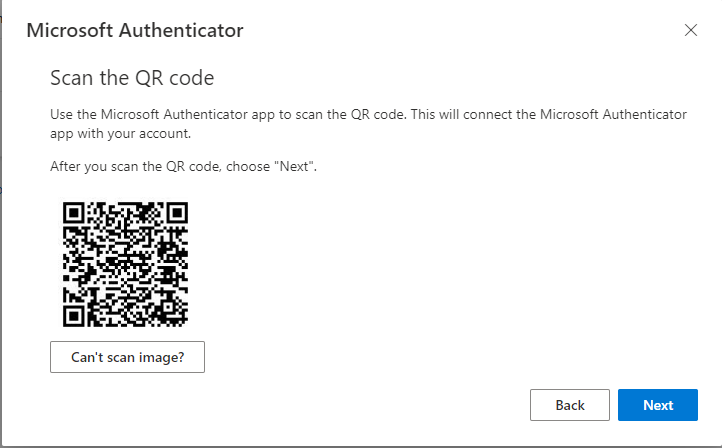
Follow the instructions in the Authenticator app to add your school account.
When prompted, use your phone to scan the QR code shown on your computer.
Then click Next.
5. Approve the Sign-In
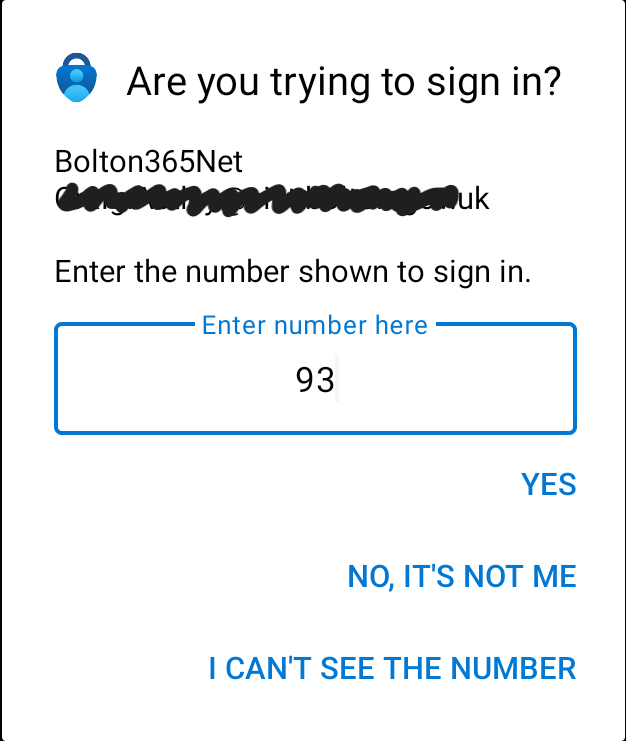
A notification will appear on your phone and your computer will display a number. Enter this number into the Authenticator app and select Yes to approve the sign-in.
6. Setup Complete ✅
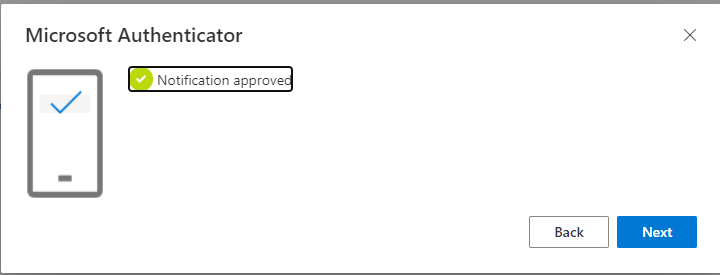
Microsoft Authenticator is now successfully configured.
Click Next to finish.
*This document contains AI Supported text and graphics.
Installing Microsoft Authenticator
QR Code for Official Microsoft Download Page

Install from Google Play Store or Apple App Store
Tap the search and search for Microsoft Authenticator.
Select Microsoft Authenticator (published by Microsoft Corporation).
Tap Install or Get.
If prompted, use Face ID, Touch ID, or your Apple ID password to confirm.
Wait for the installation to complete.
Tap Open to launch the app.